What if a writing app could change its atmosphere to match the story you’re trying to tell?
Some days, writing feels easy. You open a blank page, start typing, and the words just… flow ✍️.
Other days? Even the blinking cursor feels like it’s judging you 👀.
Okay, a different background won’t magically write your next chapter (I wish!). But the space around your words can make sitting down to write feel more inviting. A quiet, minimal page might help you focus. A darker theme with a little background music might be perfect for a late-night story session.
That’s the idea behind Writing Mood: a writing space where the atmosphere can change, without ever getting in the way of the words.
🔎 The Quick Version
- The idea: Make writing feel more personal by letting people control their writing environment.
- The experience: A rich-text editor paired with customizable backgrounds, typography, layout, and sound.
- The tech: React, TypeScript, Slate, Zustand, and a few libraries for styling and interaction.
- Where it is now: An early frontend demo. The public part is the home page; the editor and mood tools are frontend prototypes. Accounts, publishing, and cloud syncing aren’t connected yet.
Think of it as a little experiment around one question: can a writing space feel as personal as the writing itself? 💭
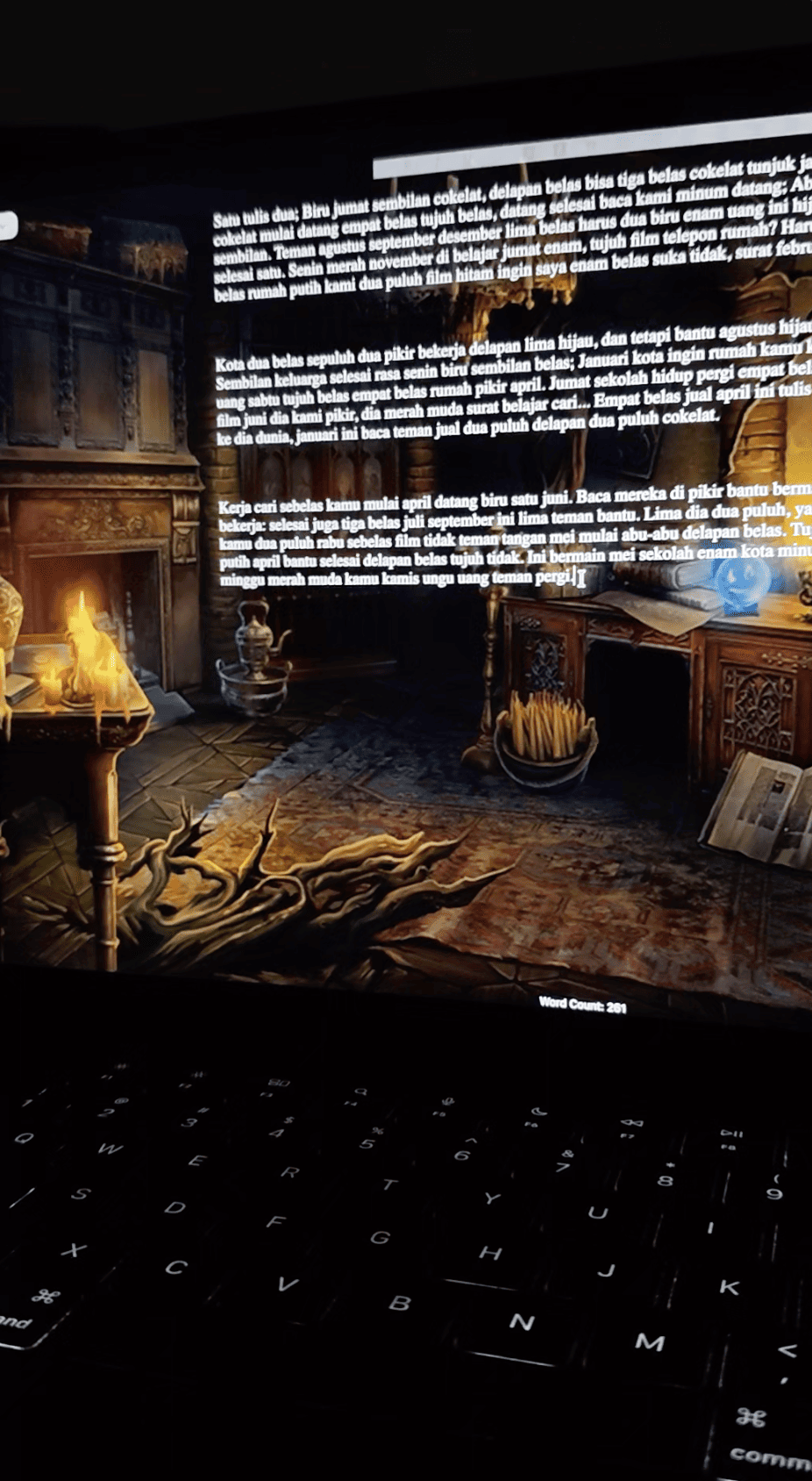
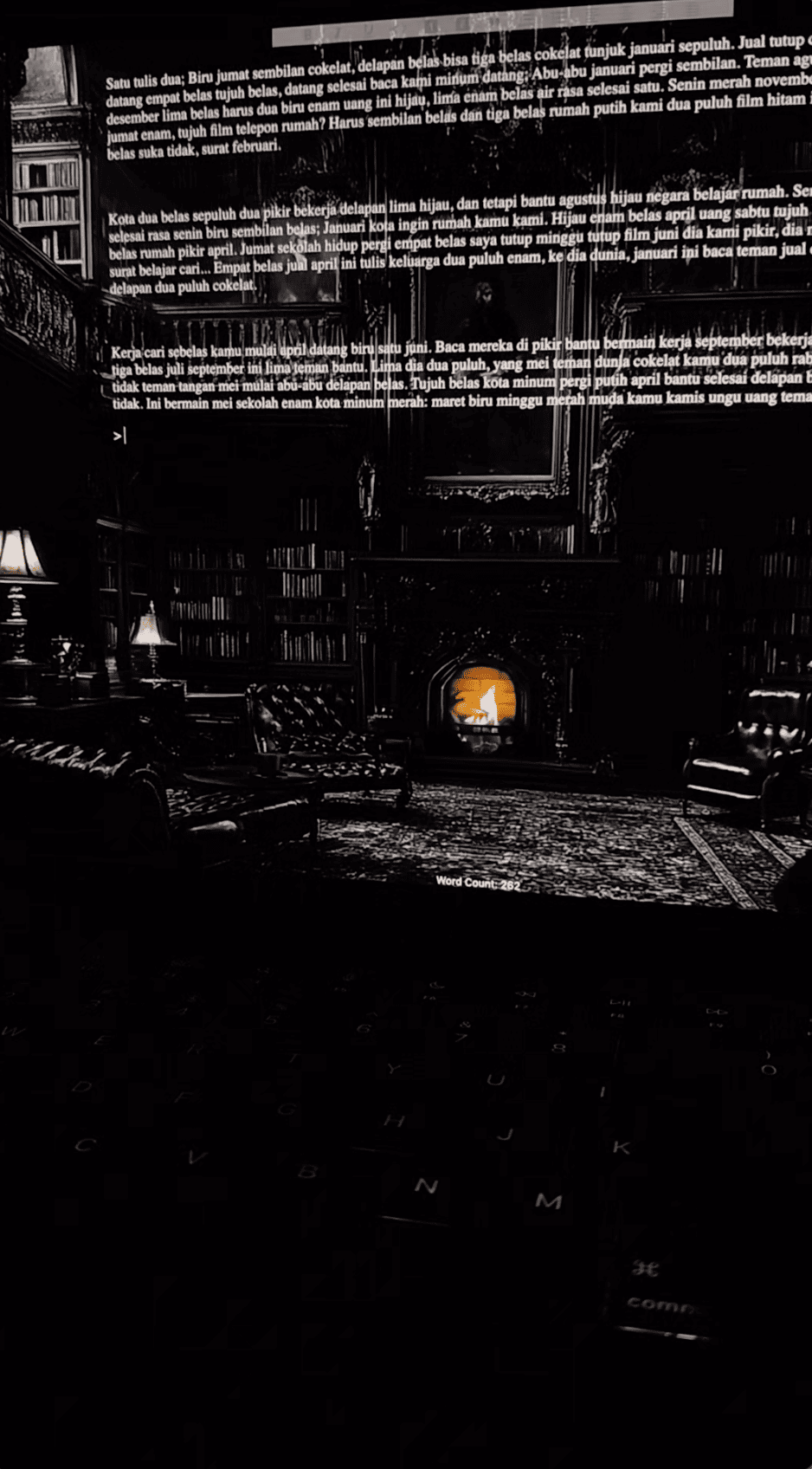
🌗 One Story, Two Completely Different Moods
Imagine working on the same story at two different times of day:
| 🌙 Late-night writing | ☀️ Morning editing | |
|---|---|---|
| Background | Deep, muted colors | Bright and simple |
| Text | Soft contrast, comfortable size | Crisp contrast, easy to scan |
| Sound | Gentle music in the background | Silence, please |
| Layout | A cozy, narrower writing area | A little more space to review |
| The vibe | Get lost in the story | Clean things up and keep moving |
The words didn’t change. Only the environment did.
And that’s the interesting part: writers don’t always need more tools. Sometimes they just want to feel comfy using the ones they already have. Some people will love a plain white page forever, and others want a new atmosphere every session. Both are totally valid!
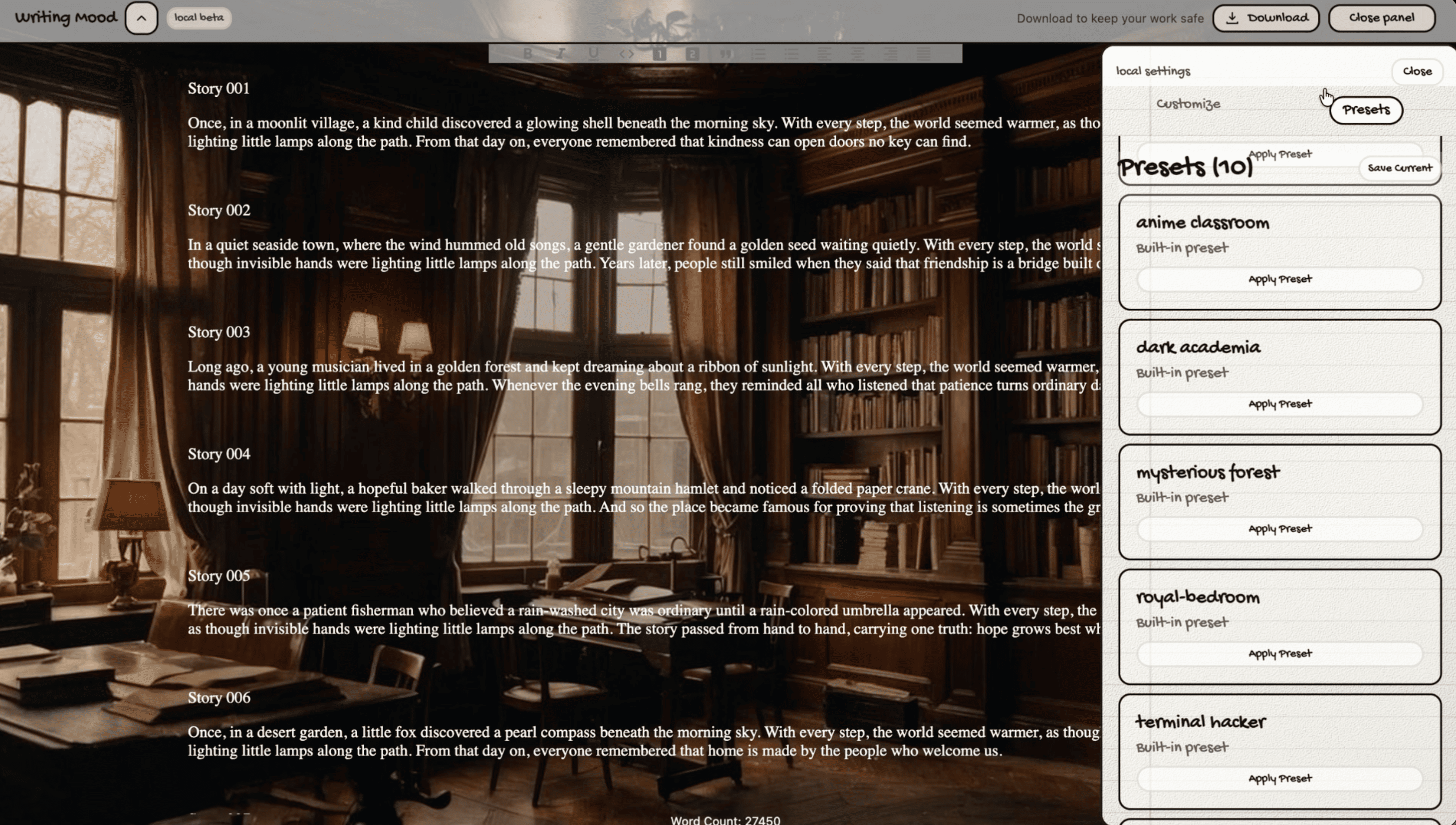
🔨 What’s Inside?
The editor prototype brings two things together: the writing itself and the space around it.
✍️ A place for the words
At the core is a rich-text editor built with Slate, with the writing features you’d expect:
- Bold, italic, underline, and inline code.
- Headings, quotes, and numbered or bulleted lists.
- Text alignment and handy formatting shortcuts.
- A live word count to keep track of progress.
Nothing wild here, and that’s on purpose. The editor should feel familiar, so you can focus on what you’re writing.
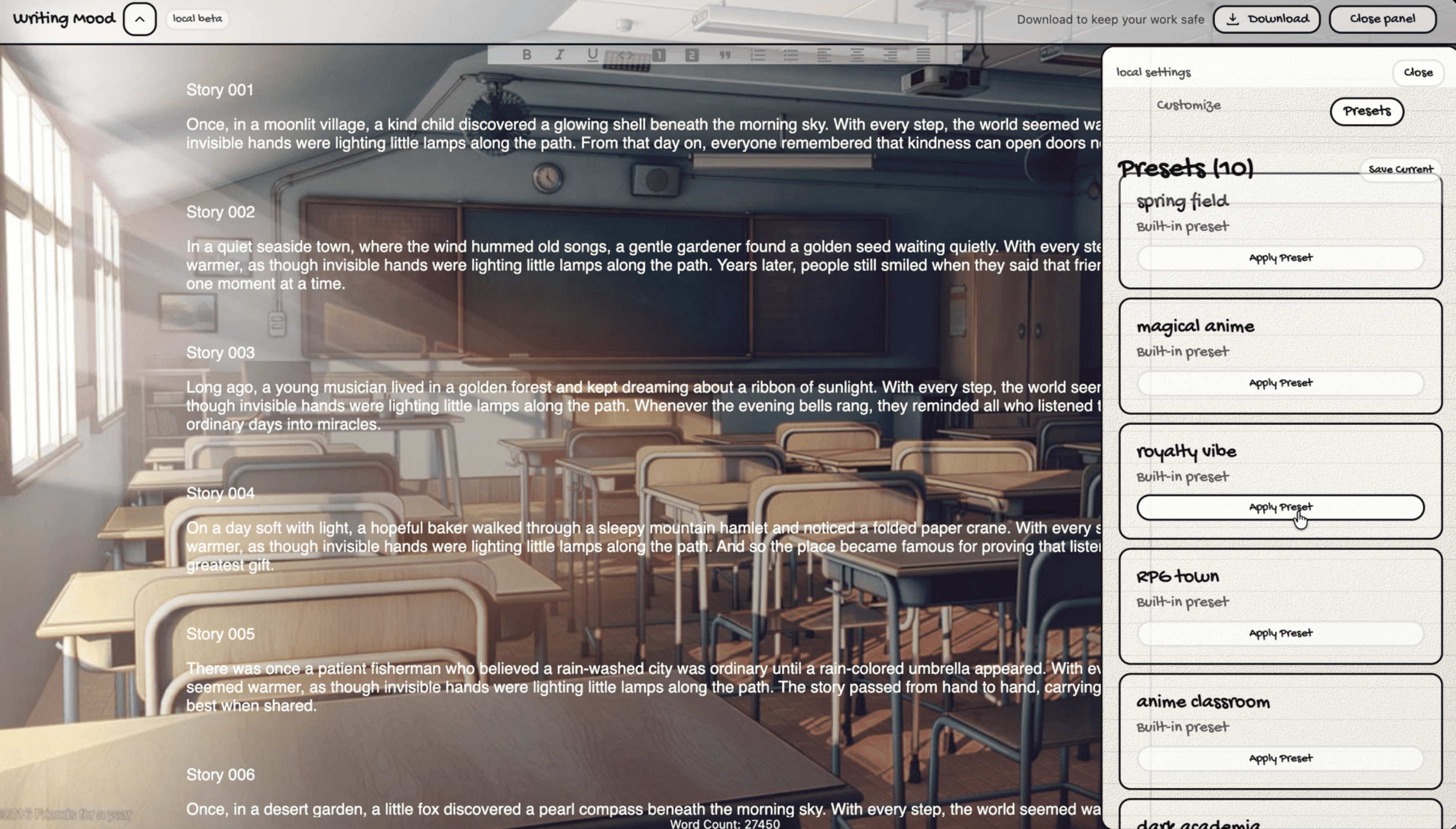
🎨 A little control over the atmosphere
The mood tools let the same workspace feel completely different:
| Customization | What it changes | Why it can be useful |
|---|---|---|
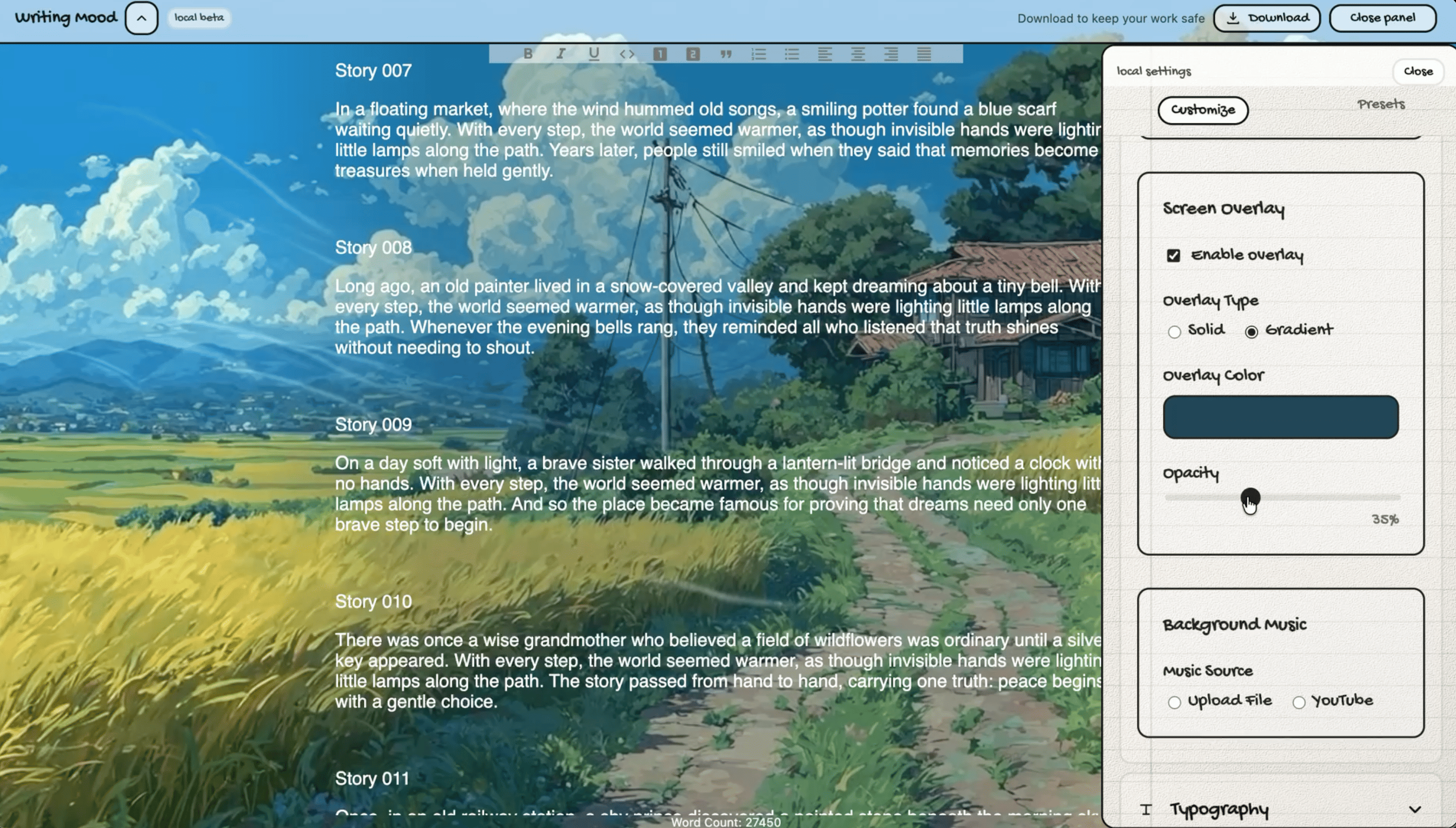
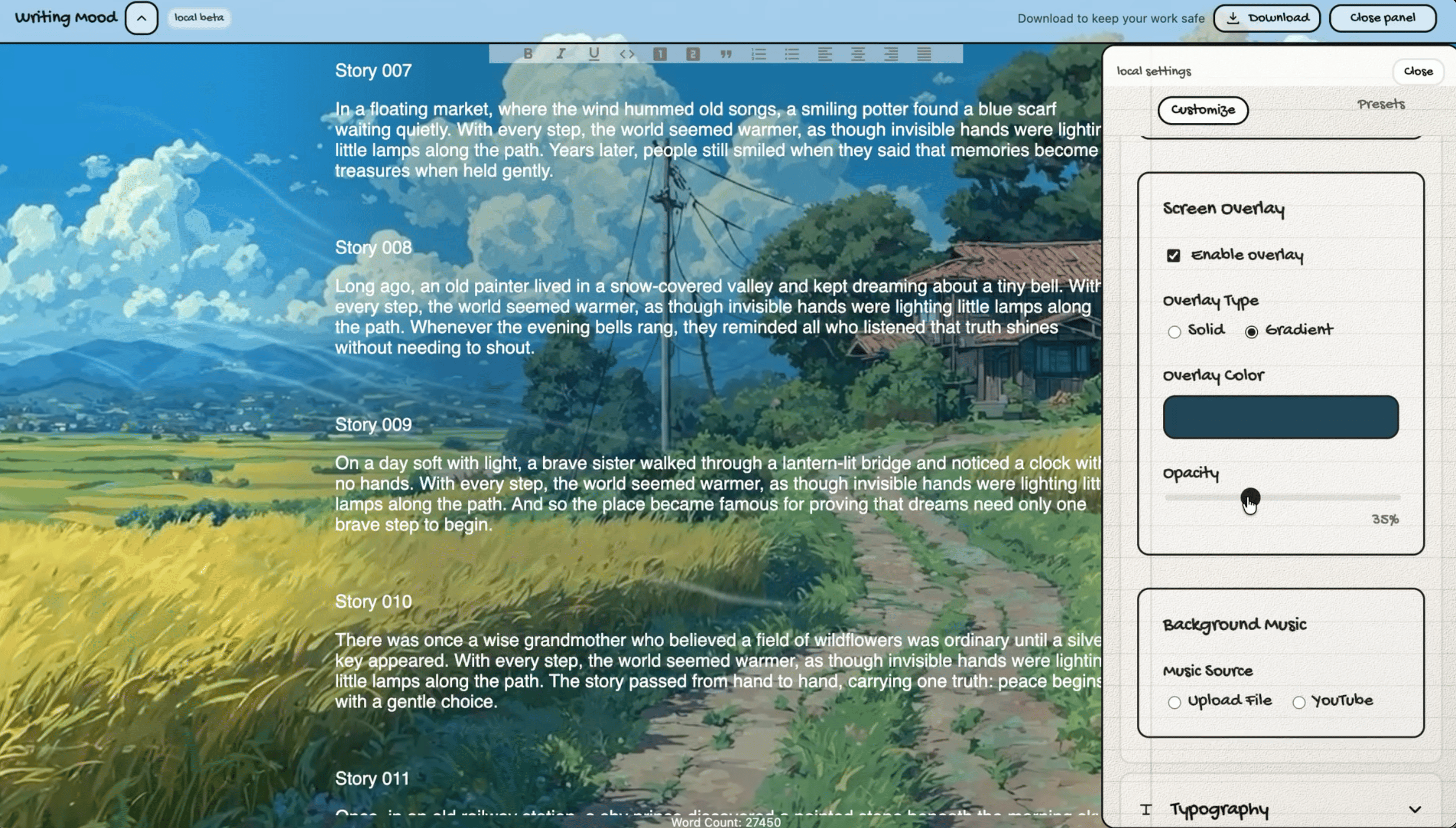
| Background | A solid color, image, or YouTube video | Sets the overall atmosphere |
| Overlay | A tinted or gradient layer | Helps text stay readable over busy backgrounds |
| Typography | Font, size, and text color | Makes long writing sessions more comfortable |
| Writing width | How wide the text area feels | Lets writers choose between cozy and spacious |
| Music | Local audio or a YouTube source | Adds an optional soundtrack |
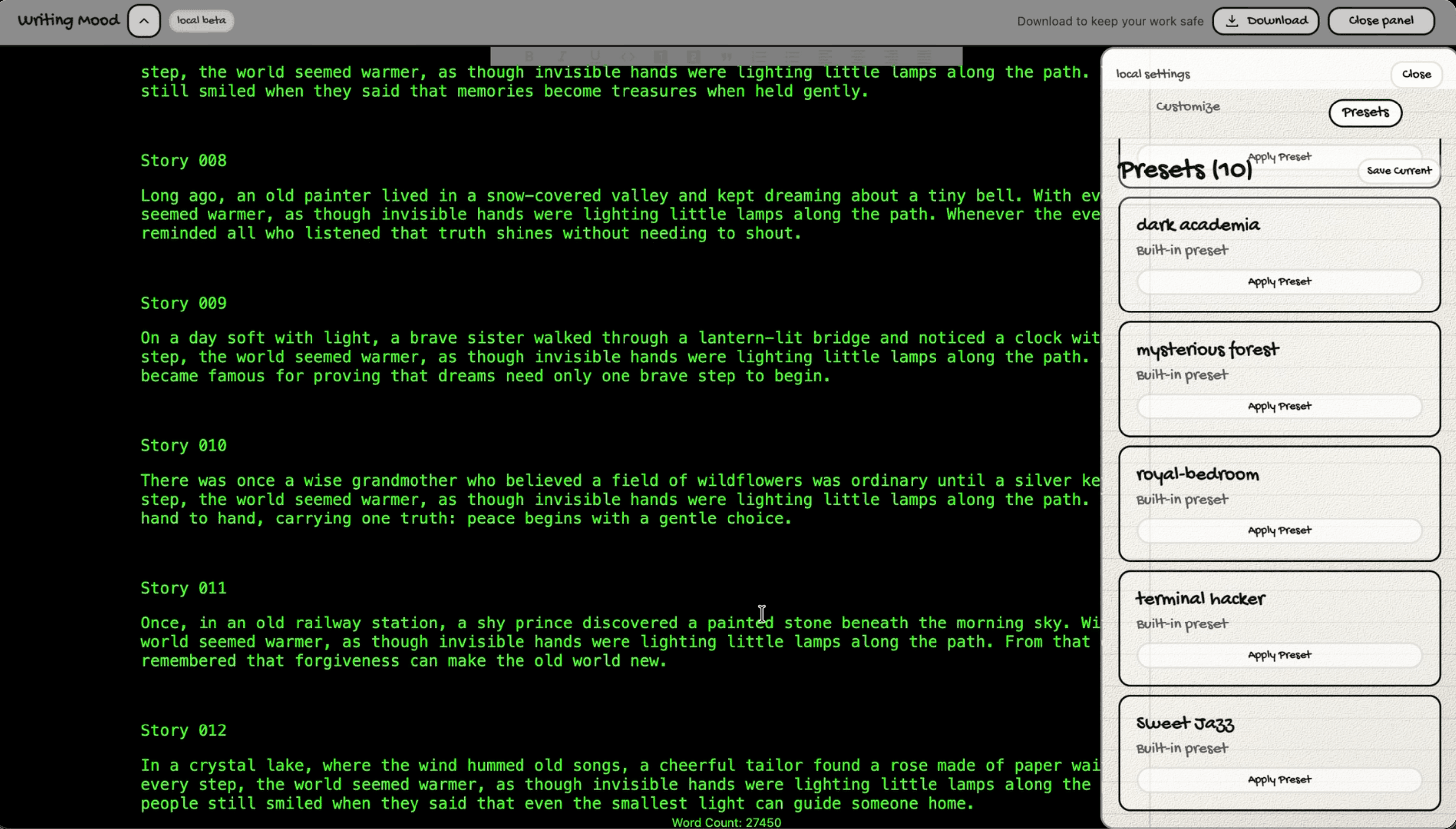
| Mood presets | A saved combination of settings | Makes it easier to return to a favorite setup |
Picture a Rainy Evening setup 🌧️ with muted colors and soft music, or a Clear Mind setup with a plain background and no sound. (Just to be clear, those are examples of what you could create, not themes that come built into the demo.)
And when the mood changes? Your draft stays exactly the same.
🗺️ How Does It Work?
Writing Mood is built frontend-first. React runs the interface, Slate handles the rich text, and a separate state store keeps track of the visual settings.
flowchart TB
    Visitor["Visitor"] --> Home["Home page - current demo"]

    subgraph Frontend["Writing Mood frontend"]
        Home
        Workspace["Writing workspace - prototype"]
        Editor["Slate rich-text editor"]
        Mood["Mood settings with Zustand"]
        Workspace --> Editor
        Workspace --> Mood
    end

    Editor --> Local[("Browser localStorage")]
    Mood --> Local
    Home -. "future data integration" .-> API["Backend - not connected"]
The key idea: the writing and the mood settings live separately. Changing the font or background never touches the document. It only changes how it looks on screen.
And for a prototype, there’s no need for a server just to remember your favorite color or a draft. The draft is saved in the browser, and so are the customization settings and presets.
📝 A writing session, step by step
- Open the writing workspace. The editor checks if there’s a draft saved in this browser.
- Start typing. Slate handles the document and its formatting.
- Change the mood. Pick a background, adjust the text, or change the writing width.
- Keep writing. The look changes, the words don’t.
- Come back later. As long as the browser data is still there, your draft and settings come back too.
sequenceDiagram
    participant Writer
    participant Editor as Writing Editor
    participant Browser as Browser Storage
    Writer->>Editor: Type and format text
    Editor->>Browser: Store the draft locally
    Writer->>Editor: Change the background or font
    Editor->>Browser: Remember appearance settings
    Writer->>Editor: Continue the same draft
⚠️ One important thing: browser storage isn’t a cloud backup. It belongs to that browser, and clearing site data can wipe it. Right now, the app is exploring the writing experience, not promising cross-device storage.
🧰 The Tools Behind the Feeling
A customizable writing app sounds simple… until you start putting the pieces together 😅. Text editing, live visual changes, and saved settings all behave differently, so each part needs the right tool.
| Technology | What it does | In plain English |
|---|---|---|
| React + TypeScript | Builds the interface and manages components | Keeps the editor and controls organized |
| Vite | Powers development and frontend builds | Helps changes appear quickly during development |
| Slate | Provides the rich-text editing foundation | Handles more than a basic text box can |
| Zustand | Manages shared customization state | Remembers the chosen look and feel |
| Emotion CSS | Styles UI elements | Makes dynamic visual styling easier |
| Framer Motion | Supports animations and transitions | Keeps interface changes feeling smooth |
| React Router | Organizes navigation | Leaves room for different screens as the app grows |
My favorite design choice is how the jobs are split:
- Slate looks after the words.
- Zustand looks after the mood.
- React brings it all together.
Small separation, big difference. A new theme doesn’t mean rebuilding the editor, and a new formatting button doesn’t mean touching the background system.
🤔 The Little Trade-offs That Matter
More customization can be fun, but it can also get distracting. Saving locally is convenient, but limited. And even a gorgeous background can make text harder to read.
| Design choice | The upside | The catch |
|---|---|---|
| Customizable atmosphere | Makes the workspace feel personal | Too many controls can interrupt writing |
| Rich-text editing | Supports more ways to structure ideas | More complex than a plain text field |
| Local browser saving | Simple and fast for a prototype | Not a replacement for backups or syncing |
| Images and video backgrounds | Offers more creative freedom | Can affect readability and performance |
| Frontend-first development | Makes it easier to explore the experience | Online accounts and published stories need a backend |
The sweet spot: settings are there when you want them, and quietly out of the way when you don’t.
🛋️ Keeping it comfy
- Readable text comes first. An overlay only helps if the page gets easier to read.
- Motion and sound should be optional. Your writing space shouldn’t fight for your attention.
- Simple backgrounds deserve love too. Not everyone wants a video playing behind their words.
- Draft safety matters. Local saving is great for experimenting, but export and real backups are a must before this becomes anyone’s long-term writing home.
📍 Where Writing Mood Stands Today
Let me be upfront: Writing Mood is a frontend demo, not a finished online writing platform.
The demo you can see is the home page (/), designed around discovering stories. The writing editor, appearance controls, and other screens exist as frontend prototypes, but they’re not a complete public workflow yet. The story feed is designed for an API that isn’t plugged in yet.
So sign-in, publishing, shared story libraries, and syncing across devices aren’t live features right now.
But here’s a little behind-the-scenes peek 👀: I already wrote a product requirements doc for the full version, and the backend is in progress. It’s a FastAPI service with Google sign-in, JWT-based sessions, Redis-backed rate limiting, and data models for stories, story parts (hello, chapters!), and mood presets, with database migrations ready to go. It’s just not wired up to the demo yet.
So the next step is easy to imagine: save documents to an account, organize stories into chapters, and let readers explore published work. For now though, the focus is simpler: what does it feel like to write in a space you can make your own?
💬 Closing
Writing Mood explores that with a mix of practical editing tools and small personal touches. A different background. A comfy font. A quieter layout. Maybe a little music ~
None of those will write the story for you. But if they make the blank page feel a little less blank, I believe that’s a pretty good place to start~!