🔎 Overview
Okay, let me show you something embarrassing: my WhatsApp self-chat 🙈.
It’s a total mess of random ideas, to-dos, bugs to fix, shows to watch, and stuff I want to learn. I type them in, feel productive for about five seconds, and then… never open them again. Sound familiar?
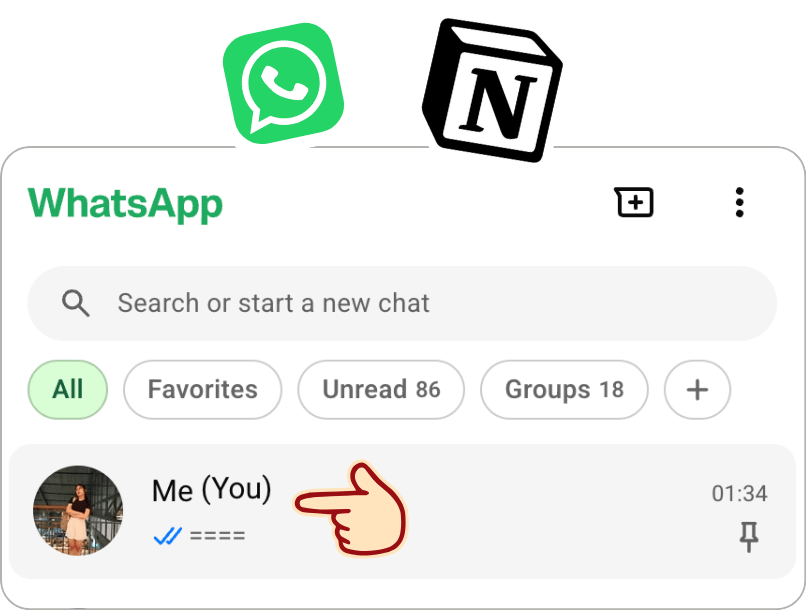
So I gave that chaos a job. I connected Hermes to WhatsApp using Baileys. Now Hermes reads my messages, figures out what they’re about, organizes them in Notion, and can even do the follow-up work for me 🤖.
The idea: WhatsApp is the inbox, Notion is the organized memory, and Hermes is the one who actually gets things done.
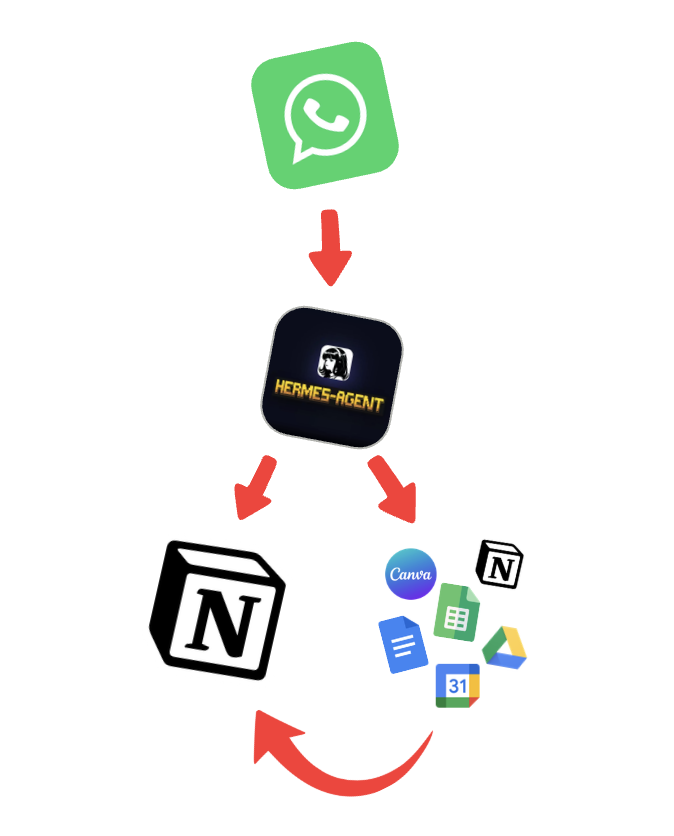
🗺️ How Everything Connects
flowchart TD
    A["Me: WhatsApp self-chat"] --> B["Baileys: WhatsApp bridge"]
    B --> C["Hermes agent"]
    C --> D{"What does this message need?"}
    D -->|Save it| E["Notion: to-dos, ideas, notes"]
    D -->|Schedule it| F["Google Calendar"]
    D -->|Research / make something| G["Docs, Drive, Sheets, Word, Canva"]
    G -->|Attach result link| E
    C --> H["Reply on WhatsApp with the result"]
| Tool | Role |
|---|---|
| WhatsApp + Baileys | Where I send my brain dumps; Baileys connects the chat to Hermes. |
| Hermes | Understands, sorts, researches, and takes action. |
| Notion | Stores short-term to-dos, long-term to-dos, and ideas. |
| Google Calendar | Handles plans with a date and time. |
| Google Drive / Docs, Sheets, Word, Canva | Holds anything Hermes creates, with links saved back to Notion. |
💬 How I Talk to It
No fancy prompts needed! I just start each message with a category and, if I want, add a mode:
todo: take the laundry
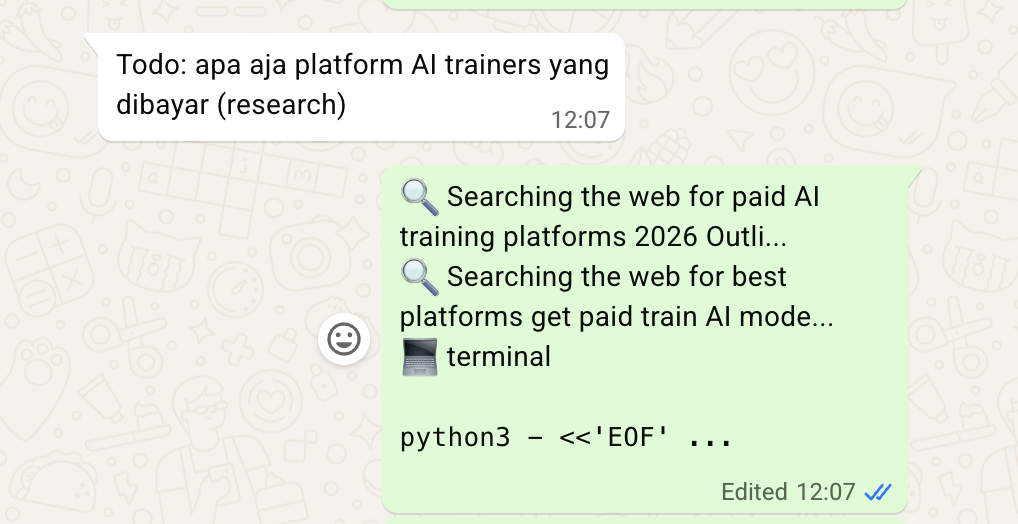
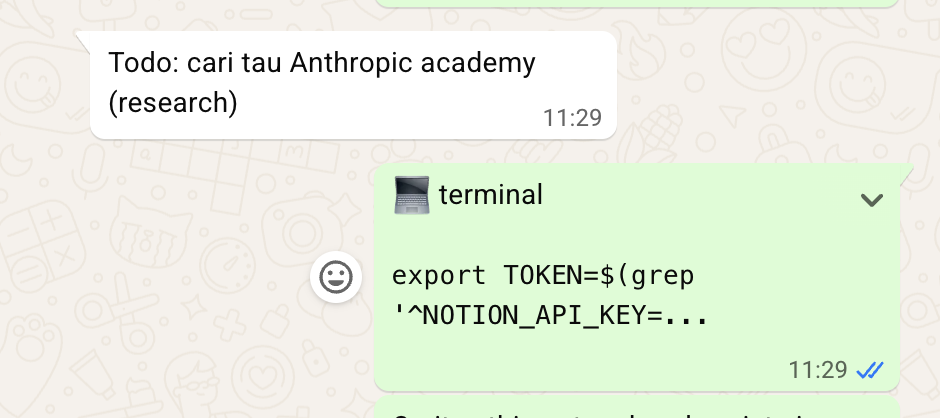
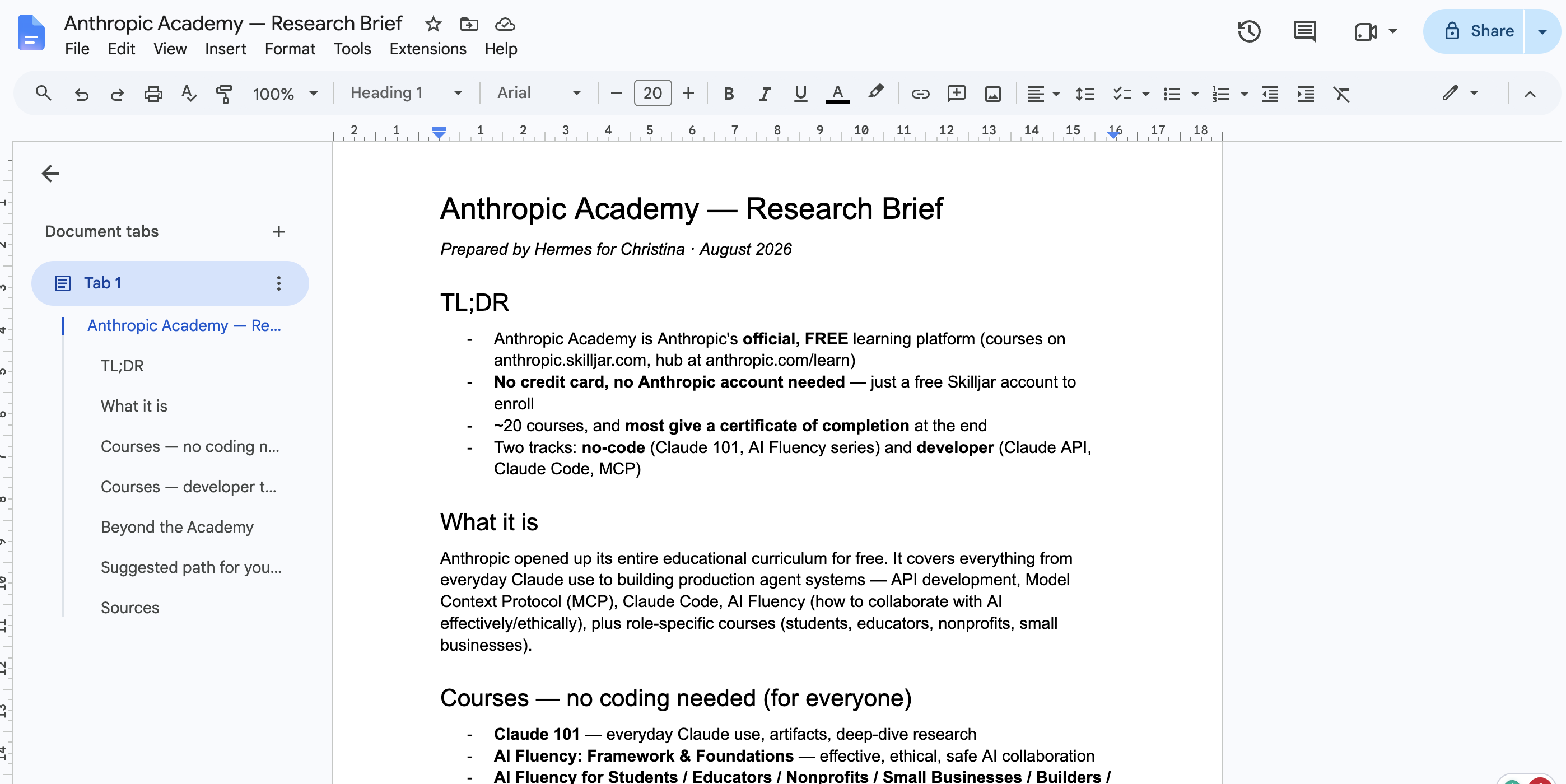
todo: check Claude Academy (research)
todo: hangout with a friend on Tuesday at 4
idea: a website that converts selfies to ASCII art (research)
idea: a short story about a girl and her past (simple)
watching: Daredevil S2 EP4todo:Something I need to do. Hermes files it under short-term or long-term to-dos.idea:Something I might build, write, or explore. It goes on the ideas list.watching:A quick progress note. It can live in a notes area for now, or a proper watchlist later.(research)Don’t just save it! Look into it and make something useful.(simple)Just save it to Notion. No research, no generated files, no essays.
If I don’t add a mode, Hermes goes for the simplest useful action. Because not every 2 a.m. thought deserves to become a whole project 😂.
🔨 Message → Action
| I send on WhatsApp | Hermes does |
|---|---|
todo: take the laundry |
Adds a short-term to-do in Notion. |
todo: check Claude Academy (research) |
Saves the to-do, researches learning resources, and links a short summary or learning plan. |
todo: hangout with a friend on Tuesday at 4 |
Prepares a Calendar event; asks if the date or time needs clarification. |
idea: a website that converts selfies to ASCII art (research) |
Creates an idea entry, researches feasibility, drafts a mini project plan, and attaches the document link. |
idea: a short story about a girl and her past (simple) |
Saves the idea as-is. No unnecessary AI essay. |
watching: Daredevil S2 EP4 |
Records where I left off; a dedicated media tracker is an optional extension. |
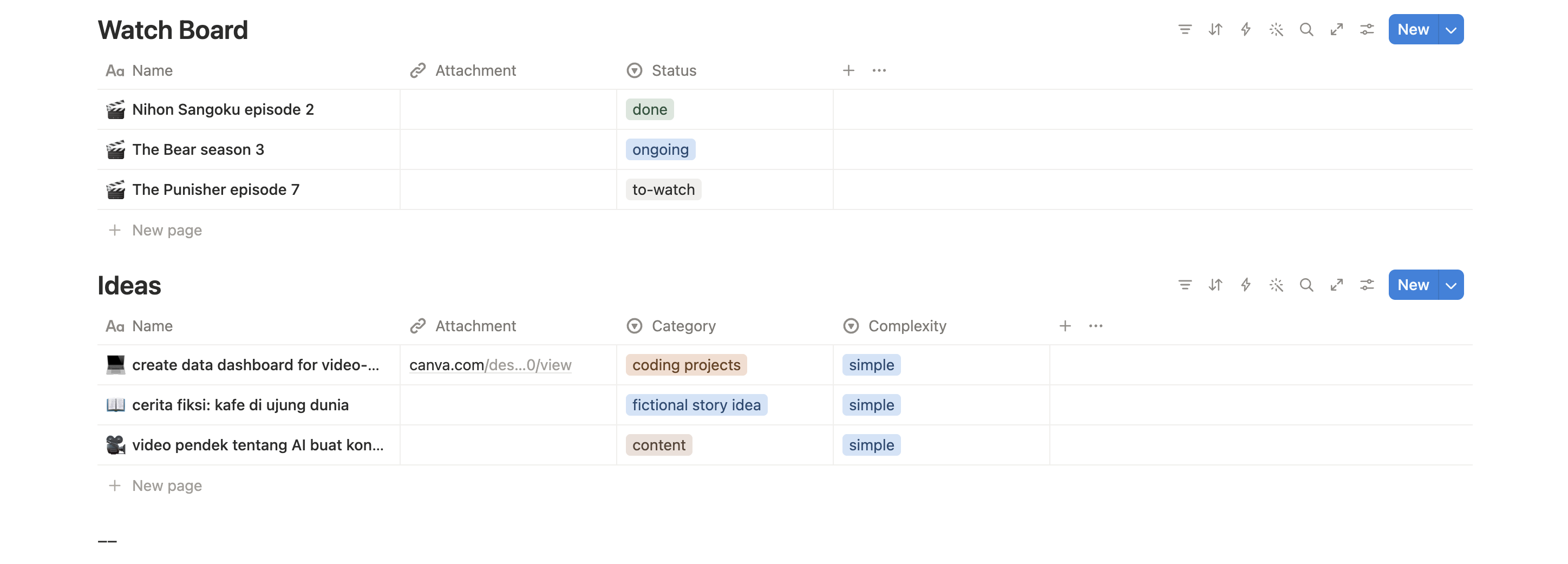
📒 What an idea looks like in Notion
| Field | Value |
|---|---|
| Title | Selfie → ASCII Art Website |
| Database | Ideas |
| Status | Researched |
| Original message | idea: a website that converts selfies to ASCII art (research) |
| Output | Link to feasibility notes / project plan |
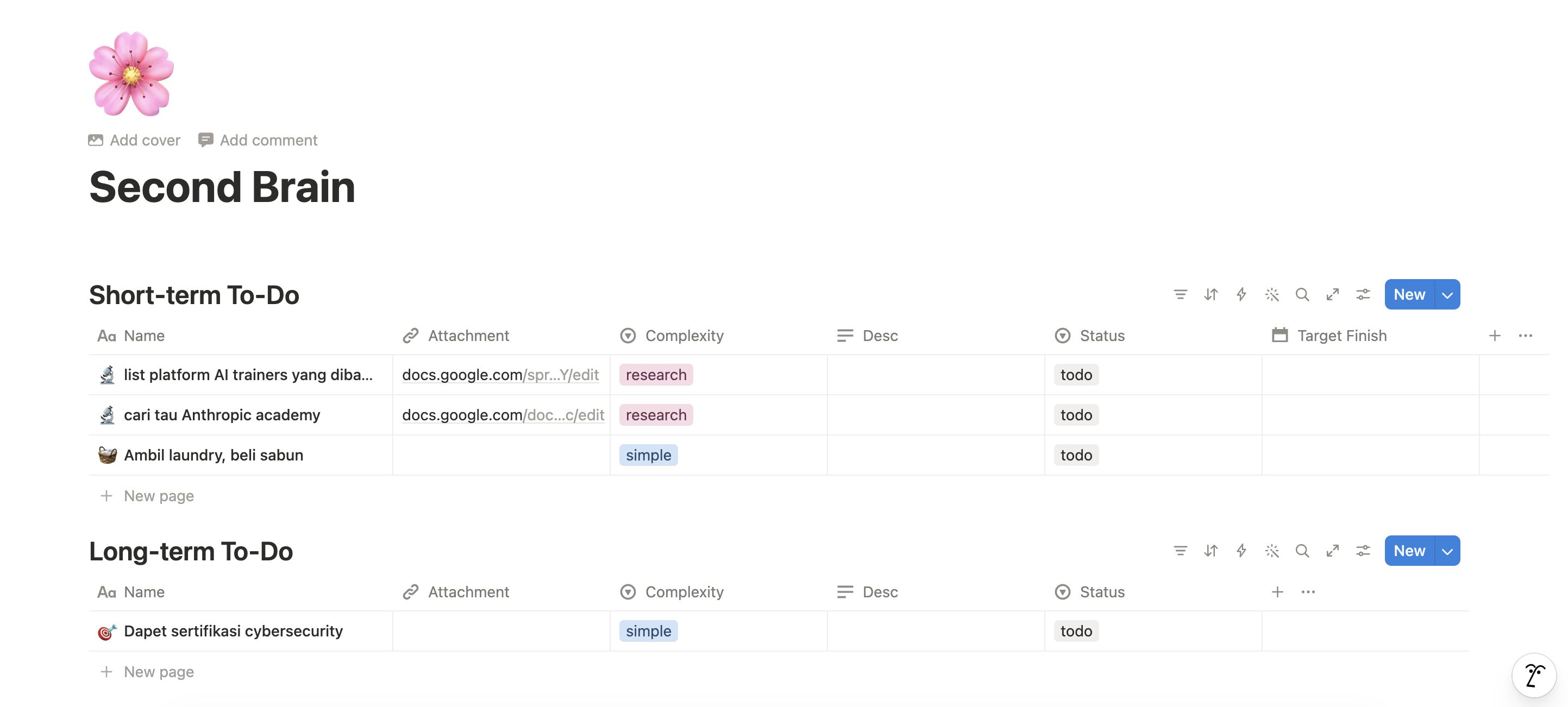
My favorite part: the research doesn’t get lost in the chat. The result stays attached to the original idea in Notion, right where I’ll look for it ✨.
Here’s how it looks in action:

🔁 From Brain Dump to Done
- Capture: I send a message to my WhatsApp self-chat.
- Understand: Baileys passes it to Hermes, which figures out the category and any instructions like
(simple)or(research). - Organize: Hermes creates or updates the right Notion entry (short-term to-do, long-term to-do, or idea).
- Act: If needed, it researches the topic, makes a doc, spreadsheet, or design, or handles a calendar action.
- Link back: Anything it creates gets linked in the Notion entry, so future me can find it.
- Confirm: Hermes replies on WhatsApp with a short summary and any useful links.
📏 A Few Rules That Keep It Useful
| Rule | Why |
|---|---|
| Simple means simple. | Not every random thought needs research. |
| Keep the original message. | I can still see what I actually meant. |
| Put output links next to the idea. | No hunting through old chats for generated work. |
| Ask when details are missing. | Especially for dates, times, or actions involving other people. |
| Prefer a useful artifact over a wall of text. | A mini-spec, checklist, spreadsheet, or draft is easier to act on. |
💭 Why I Built It
I don’t need another note-taking app. Trust me, I’ve tried plenty 🫠. What I need is for my existing notes to go somewhere, and sometimes turn into actual work.
With this setup, I keep using the easiest input I already have (just texting myself on WhatsApp), while Hermes handles the boring parts: sorting, researching, creating, and linking everything back together.
My self-chat is still a mess, but now it’s a mess that gets things done :3