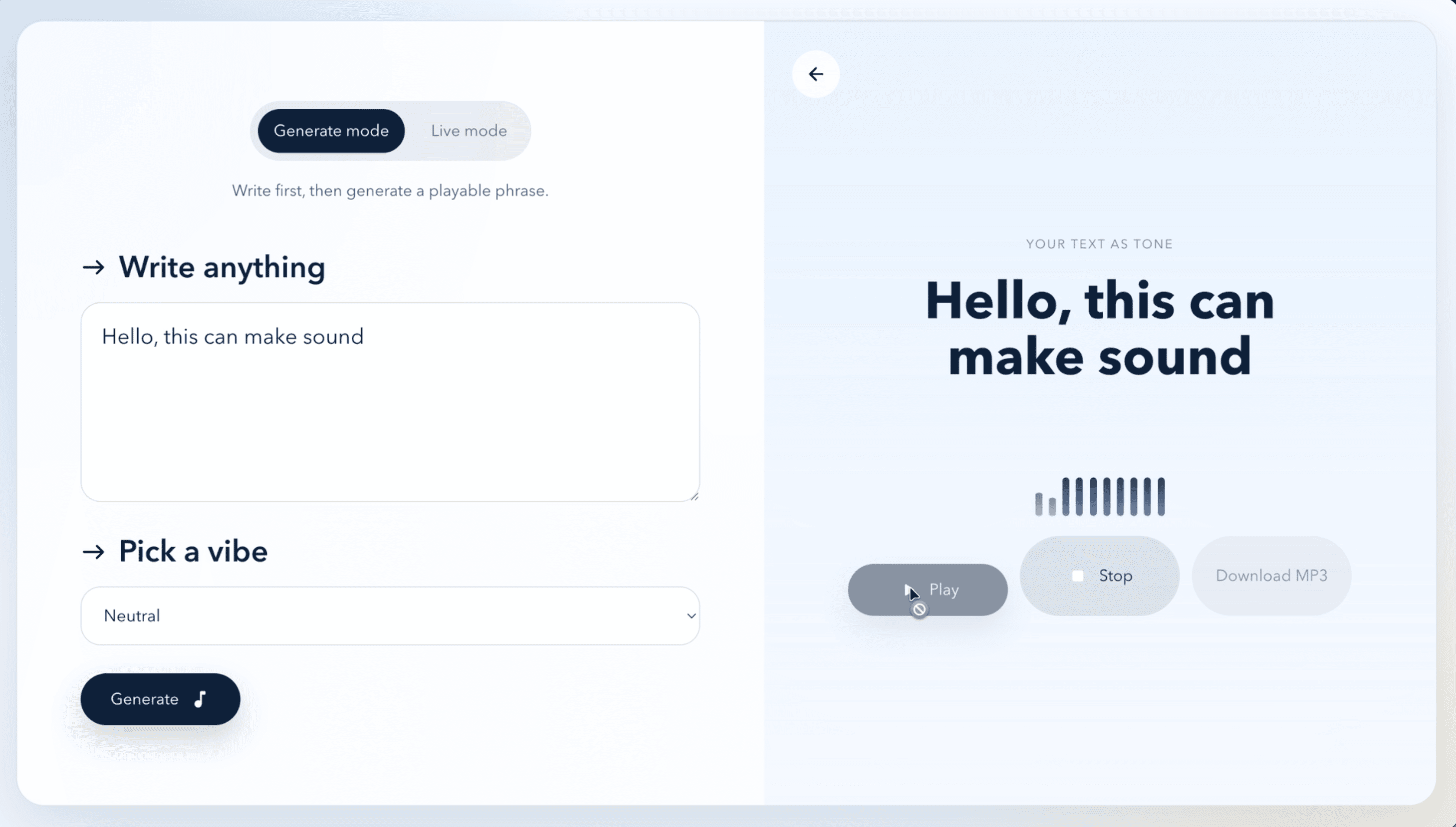
Ever wondered what your name sounds like? Or your grocery list? Or that one passive-aggressive text you almost sent? 🎵
That’s the whole idea behind Text to Tone: give words their own sound. And no, it’s not AI making the music. It uses simple, consistent rules to turn letters into notes and chords, so the same words always sing the same song.
🔎 Overview
- What it does: Turns text into short, playable musical phrases.
- Who it’s for: Anyone who wants to play with sound, make a quick audio clip, or just hear what their words sound like.
- Two ways to play: Generate Mode makes a full phrase; Live Mode reacts while you type.
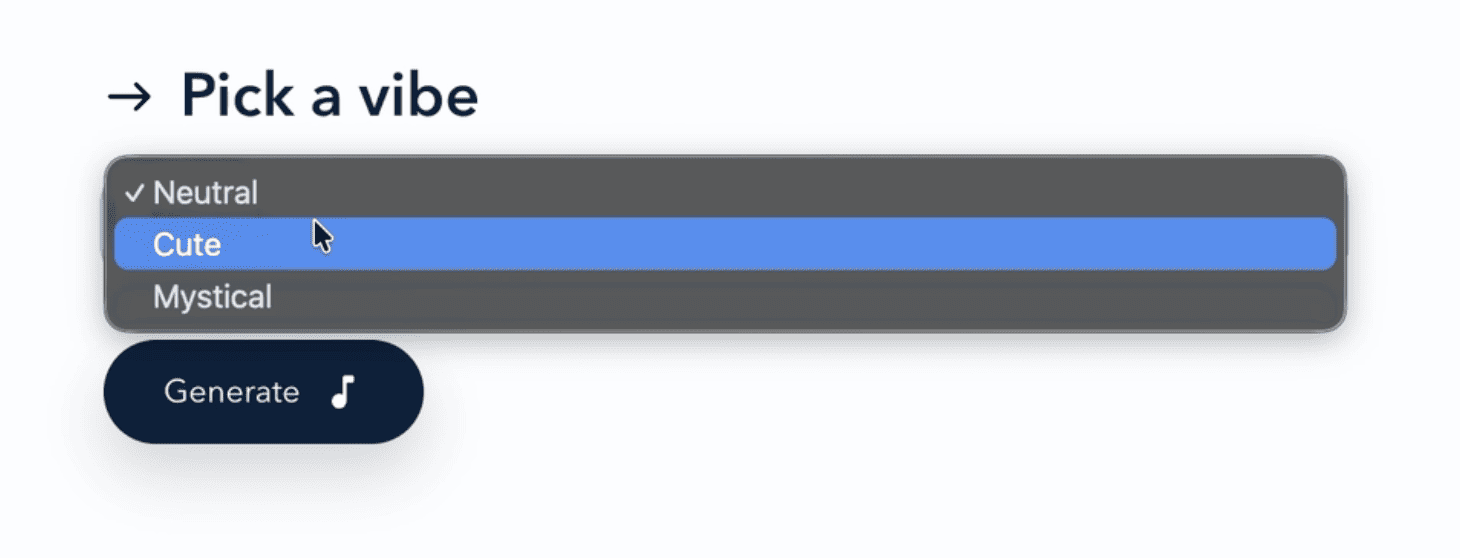
- Three vibes: Neutral, Cute, and Mystical, each changing the pitches and the feel.
- No backend needed: Note generation, playback, and MP3 export all happen right in your browser.
🗺️ How Everything Connects
flowchart TD
    A[Text + selected vibe] --> B[React interface]
    B --> C[Clean input]
    C --> D[Map characters to notes and chords]
    D --> E{User action}
    E -->|Play or Live preview| F[Tone.js synthesizer]
    F --> G[Sound from the browser]
    E -->|Download in Generate Mode| H[Tone.Offline audio rendering]
    H --> I[lamejs MP3 encoder]
    I --> J[Downloadable MP3]
I kept it light on purpose. The interface, the music logic, and the audio processing all live on the client, so a simple static host can serve it. No music-generation server humming in the background!
🔨 How Words Become Music
- Type something. Letters, spaces, and basic punctuation are welcome. Numbers and weird symbols get cleaned out.
- Pick a vibe. Neutral, Cute, and Mystical each have their own set of note mappings.
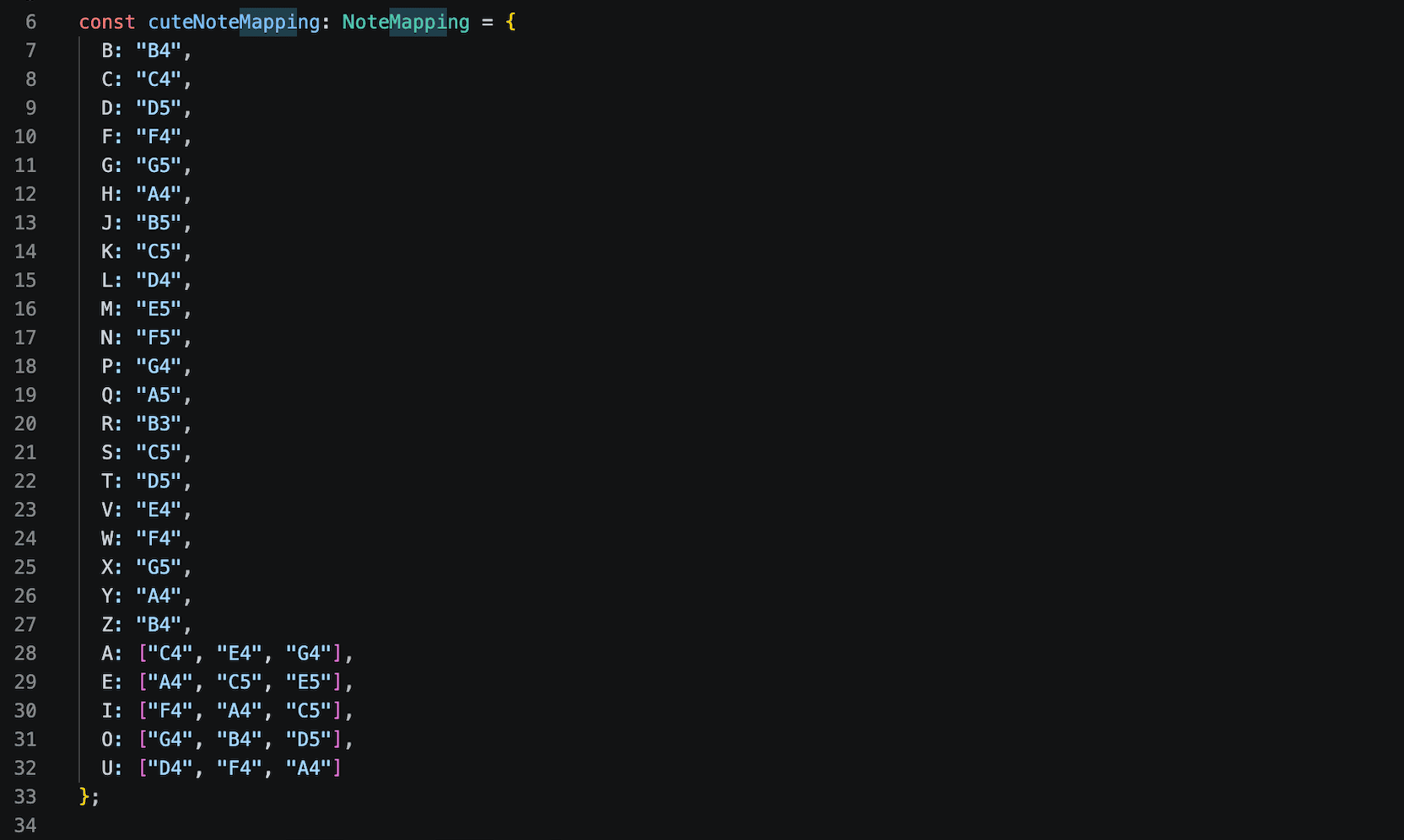
- Letters turn into music. Consonants become single notes, and vowels become three-note chords. Spaces and punctuation stay silent.
- Listen your way. In Generate Mode, hit Generate, then Play to hear the whole phrase. In Live Mode, the app waits for a tiny pause in your typing, then plays sounds from up to your last three characters.
- Take it home. Generate Mode can render the phrase offline and save it as an MP3, right in your browser 🎧.
Quick example: with Neutral selected, AB becomes a C4-E4-G4 chord followed by a B4 note. Type the same thing with the same vibe, and you’ll get the exact same tune every time.
🧰 The Tools Behind It
| Layer | Technology | What it handles |
|---|---|---|
| Interface | React + TypeScript | Text input, vibe selection, modes, and playback controls |
| Sound | Tone.js | Synthesizing and scheduling notes in the browser |
| MP3 export | Tone.Offline + lamejs-fixed | Rendering audio and turning it into a downloadable file |
| Build and hosting | Vite + Netlify configuration | Fast frontend builds and static deployment |
| Testing | Vitest | Checking note mapping, input cleaning, and audio export helpers |
Microsoft Clarity is also supported as optional visitor analytics. The app works perfectly fine without it.
🎛️ A Few Nerdy Details
- It started bigger, then got lighter. I first prototyped Text to Tone in Next.js, then rebuilt it as a standalone Vite + React app. For something that runs fully in the browser, a simple single-page app was all it needed.
- Chords need more than one voice. Playback uses a Tone.js PolySynth, so vowels can ring out as real three-note chords instead of notes stepping on each other.
- The MP3 is made right in your browser. The phrase gets rendered offline at 44.1 kHz, then lamejs encodes it as a 128 kbps mono MP3. Your text never leaves your device!
- Live Mode waits for you. It uses a short debounce, so it plays after you pause typing instead of beeping at every single keystroke (your ears will thank me 😆).
- A tiny dancing waveform. Ten little bars bounce with staggered timing while the music plays. Pure vibes, no audio analysis.
- Tested where it matters. Vitest checks the note mapping, input cleaning, and MP3 export helpers, the parts that would quietly break the “same text, same tune” promise.
🤔 Decisions I Made (and What They Cost)
| Decision | Why it works | Trade-off |
|---|---|---|
| Rule-based note mapping | Fast, predictable, and easy to understand | Less musical variety than a full composition engine |
| Browser-only audio | No audio API or backend processing required | Playback and exporting depend on the user’s device |
| Generate + Live modes | Works for both complete phrases and instant feedback | Live Mode previews recent characters rather than the entire phrase |
| Local MP3 export | No need to upload text or audio for conversion | Longer phrases can take more time to render |
💸 Cost, Limits & Where It Fits
It’s cheap to run. Text to Tone is a static web app, so there’s no database, no paid AI model, and no server crunching every song. The main hosting concerns are just serving the files and bandwidth. Analytics can be turned on separately if I want it.
It has limits, and that’s okay. The note mapping is built around English letters A to Z. It uses fixed note patterns instead of complex rhythms or instruments, so think of it as a creative sound experiment, not a full music-production tool (I’m not replacing anyone’s DAW here, lol).
💬 Closing
And honestly, that simplicity is the point. Text to Tone turns a tiny piece of text into something you can hear, play with, and share, without making things complicated.
Go type your name and see what it sounds like! 🎶