
🔎 Overview
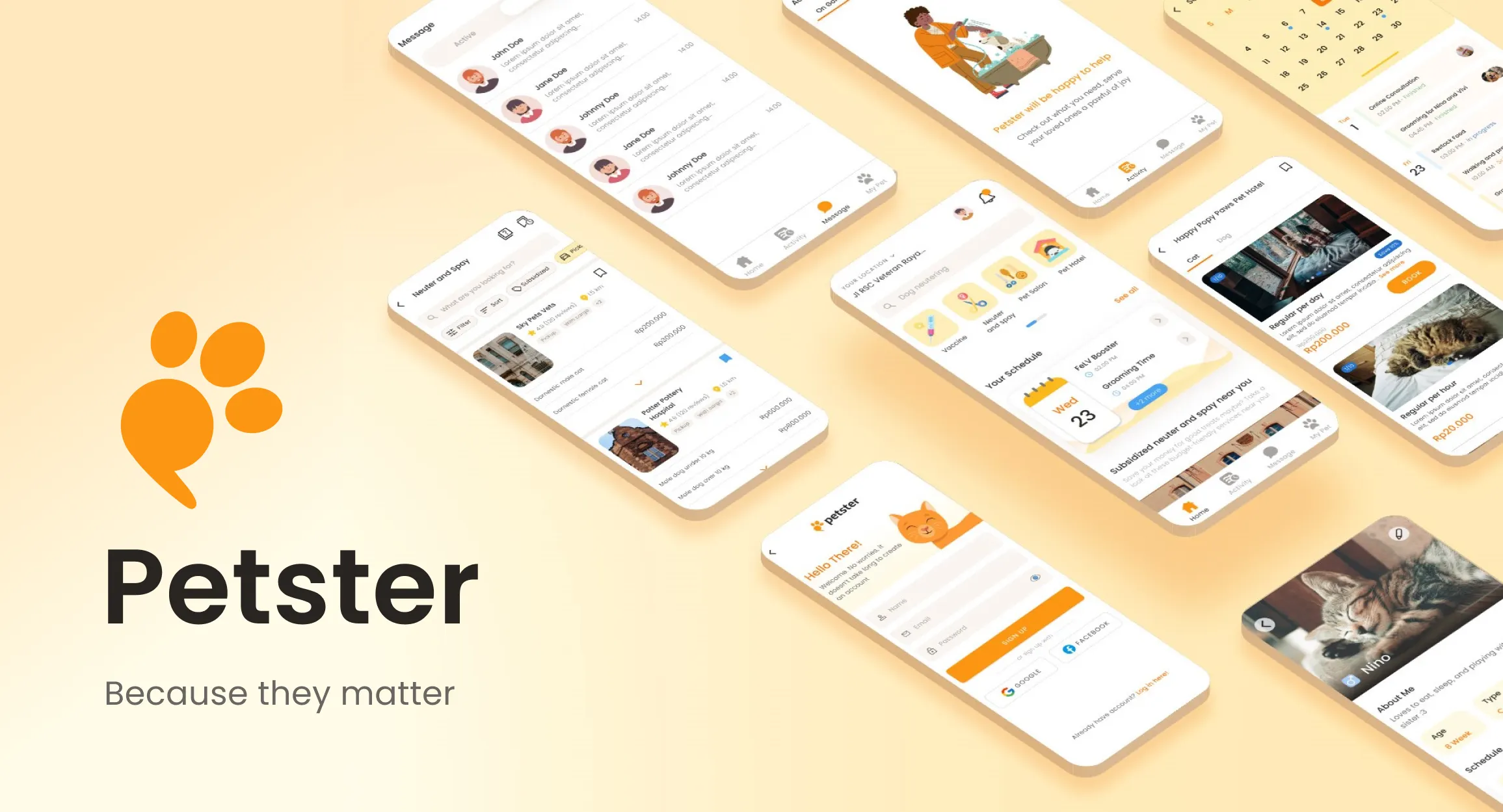
Petster is a one-stop mobile platform that **helps pet owners to connect with pet care service providers.**It provides a variety of services, from online vet consultation, pet clinic, vaccine, neuter/spay, pet hotel, and pet salon. Users can find nearby available services with the details, do their own comparisons, and do online reservations.
This project is a personal initiative to improve my design skills. It was done in 4 months. Since it’s an individual project and I did the process by myself, here are the roles I play to get this case study finished.
- UX Researcher: conducting user research to identify opportunities; analyzing data collected; gathering insights about users’ behaviors, needs, and pain points, through observation and feedback.
- UX Designer: understand users through research results, develop wireframes and prototypes, conduct testing
- UI Designer: create the visual elements, and develop high-fidelity screen designs through which a user will move
- UX Writer: writes the microcopy, creating clear copy to help users make the right decision about what to do next
🏃♀ ️The Process
As the guide for problem-solving, I adapt the famousdesign thinking processwhich can be elaborated into five phases: empathize, define, ideate, prototype, and test.
I did the breakdown of the process into three main checkpoints and documented each output I got.

List of content
👀 Let’s Dive into the Problem
A Personal Story From Me
There are a lot of stray cats live around my house. They visit me pretty much regularly because I often give them food. That’s why I get to know the time when one of them came with terrible swollen paw, and she limped as she walked😢.
There are also a lot of new kitten being born every months, without the guarantee that they can have enough food and safe place to stay on bad weather. Overpopulation is a nightmare.
I wish I could bring the sick cats to vet, **neuter (sterilize)**the mother cats, and call the experienced ones to cleanthem — especially that white-furred cat who now has turned into dark gray🙂. Too bad, I live in a small city where the access to veterinary is limited.
That’s how the idea of Petster first popped into my mind. Just like how delivering foods and ordering drivers could be so easy, I assume it would be very helpful for pet owners to have a platform where they could find and visit nearby service they need for their pets🐾.
Well, Personal Assumption isn’t Enough
To find a sufficient foundation for this study, I started by doing both individual research and target user research.

The objective of this research isto understand pet owner’s behavior on taking care of their pets and their mental model on pet-related online platforms.
👩🔬Individual Research
There’s a ton of helpful information available to be explored online. I tried to collect and analyze them by myself.
Observation on Social Media
Just by searching certain words, it’s easier than ever to read people’s discussions on a topic. Let’s see how the magic of “keyword” works✨.
- It’s very common to see pet owners looking for subsidized spay and neuter programs. Subsidy program usually provides low-cost service (or even free!) for pet owners.

Findings from Twitter
- Information about subsidy programs usually being spread through social media and word-of-mouth recommendations. Most of the programs offer affordable vaccines and neuters for cats and dogs.

Subsidy program posters from Twitter, Facebook, Instagram, and WhatsApp.
- Veterinary care and animal clinics are available in most areas of Indonesia, the price is also affordable. The problem is that the doctor isn’t always available in the clinic, even during open hours.
- On the contrary, in busy areas, pet owners have to wait in hours of queues only for a 5-minute-long vaccine shot for their cats.

People on various platforms complaining about veterinary
- Pet owners rely on social media to find pet care with specific facilities and services.

Other findings from Twitter and Facebook.
Similar Platforms Analysis
Studying the existing platforms helped me to collect insights on how I can position my product better in this field. Even with the same initial idea, each execution process could come up with its own unique solution.
I tried to check out platforms that might connect with my agenda and execute my idea in such other ways.
- Petshop Indonesia

SWOT analysis of Petshop Indonesia
- Satwagia

SWOT analysis of Satwagia
- Halodoc

SWOT analysis of Halodoc
👨👨👧👧Target User Research
I created a questionnairefor 35 respondents, and choose 3 of them to continue intothe in-depth interview.

An in-depth interviewis a valuable tool for gaining an in-depth understanding of users’ needs, preferences, and motivations. Here are the main questions I asked to them.
- Can you tell me what service you usually give to your pet?
- How do you usually access that services?
- Why do you choose them to take care of your pet?
- What do you expect from veterinary care and pet shop?
- What are the hardships you face the most as a pet owner?
I processed all of the results into clusters and finish them with key insights served in a simple affinity map. This method helps to identify patterns and trends in user feedback.

Research result in affinity map
📜Further User Exploration
Based on my dialogue in the previous interview, I have identified two distinct types of pet owners. Both of them were found to have different wants and needs when it comes to the service for their beloved pets.
To better understand each group, let’s take a closer look at what makes them unique.

Persona and empathy map #1, a cost-driven pet owner

Persona and empathy map #2, a quality-oriented pet owner
**Pet owners like Vania have low budget to take care of her pets.**They would likely prioritize the essential needs of their pets. She might look for discounts and free resources when it comes to food and medical care.
On the other hand, Raka will make sure that their health and well-being are top priorities. He will ensure that they have access to quality veterinary care, a balanced diet, regular exercise, and premium pet products.
Afterward, based on my comprehension of them so far, I can write an objective to focus this study on the target user’s goals. Here it is!
📌As a pet owner, I want to be able to easily find the best pet service provider that meets my budget and needs, so that I can provide my pet with the expected quality care.
🧠Brainstorm the Potential Solutions
To understand the target user’s point of view better, I tried to identify the steps that they take in order to complete their goal of reaching a pet service provider.
Understanding the pet owner’s journey and experience from start to finish could help me to find areas where improvements need to be made.

Looking closer at what a pet owner going through🔎

I created Eisenhower Matrix to help organizing the list of pain points into categories based on urgency and importance. I’ll focus my attention on those that fell within the important-urgent quadrant.
Time to spark creative thinking
How Might We questions are a great way to identify potential solutions, explore all angles of an issue, and set boundaries on what needs to be done.
I already have one main question: How might we help pet owners to easily find the best pet service provider that meets their budget and needs?
I can divide it into multiple smaller questions to address each of the issues that I observed during my investigation.

How might I? How might we?
Next, I came up with a bunch of answers. It’s important to avoid getting stuck on certain alternatives and it’s okay to just throw everything on the table. Remember that you can always say no to any possibility later.
Since I worked on this alone, I try to involve additional brains by bouncing my idea off of my friends and family members to see their responses and suggestion.

Some of the potential solutions I had listed
💡Determine the Solution
I managed to list 56 potential solutions. That’s. A. Lot. There’s no way I could execute everything in one go.
I started to narrow down which ones would be feasible to implement as the answers for the issues that were identified. To do this, Decision Matrixreally comes in handy.

I did my decision matrix on a spreadsheet
By assigning numerical values to each relevant factor to the solution, it can be easier to identify which option has the highest overall benefit or score.
After I obtained filtered ideas, I then listed the requirements I need.

The final result of possible solution brainstorming✨
To see the whole process, feel free to go tothis spreadsheet (click me!).
Drawing ideas from the above list, this is how I imagine my user would use the app😄.

Storyboard could be a helpful guide for the next step when I developed my sitemap and user flow. Pic source: canva, freepik, flaticon
One step closer to the actual product
As the starting point of working on the solution, I constructed a sitemap. It provides a bird’s eye view of the entire site and how all its components relate and navigate to each other.
Since I decided to build a mobile app design, I started crafting the sitemap from the bottom navigation menu by defining which pages users would visit the most and what I want them to discover.

The birdview of whole app navigation
Alongside with sitemap, I created user flows to identify how a user moves through the application.

🔨Let’s Get to the Prototype Design
Start with lo-fi wireframe
I created Crazy 8 models for important screens that required a great deal of thought. These screens included the home screen and service providers (location) list.
**For home screen, I want to give users a clear idea of key features that Petster can do.**After gathering the ideas, I developed an alternative solution that incorporated all the significant pros while minimizing their cons.


Crazy 8 — Home
I did pretty much the same steps for service provider (location) list page. For this screen, I want to allow users easily find what they are looking for and compare their options.


Crazy 8 — Service provider (location) list
Next, I made some paper sketching to explore potential layouts. I ensure that the flow is reasonable and doesn’t leave fatal mistakes because revising the high-fidelity design later will cost more effort.


Paper wireframe
Product Persona
I used product persona as a concept to help me visualize and focus how Petster should be visually designed**. With this, I had a clear goal of how the app should look and feel.**

Product persona of Petster
Design System

I established a set of guidelines that outlined typography styles, colors, spacing and other elements which were used in all UI components of Petster
- Logo
My goal was to create a logo that speaks the branding of Petster. I sketched out the rough version of my ideas and did some tweakings until I’m satisfied with how it looks.

The logo crafting process
- Color
Beside the orange as primary color, I definitely need neutral colors to create contrast between elements on the page, as well as providing an easy-on-the-eyes backdrop for text or other visuals.
To make the neutral color blends better with the primary color, I made shades of black with a hint of orange accent in them.


How I chose neutral color palletes
- Banner
Since orange — that I use for primary color — is also conventionally associated with “warning” alert, I use the secondary color — blue — for “neutral” information.

- Layout and Spacing
I refer to Material Design to define the layouts and spacings. **On mobile, at a breakpoint of 360 dp, layout grid uses 4 columns.**For the spacings, I use icrements of 8dp and 4dp as the base grid unit.

- Others
Check out the full design system below (or justclick me!).
And finally, the high-fidelity design
Here I present the screen design together with the flow. Note that there are three types of booking flow because different services somehow work better in different screen design or flow.

Booking flow screens for vaccine, neuter and spay, pet salon, and pet clinic.

Booking flow screens for pet hotel and pet sitter

Booking flow for online vet chat

Save pet data for reuse, also manage their treatment schedule

See what currently going on, scheduled, finished, or cancelled

Messaging
Now, let’s examine my attempt to achieve the above solution
Here’s the process of how I came up with above designs.

Home screen

Service provider list

Service provider detail

Catalog

Pet profile

Calendar screen
UX Writing: Language as a design tool
Language also affect what does the design look like, what does it feel like, the mood and the tone, in the same way that visuals do.

Writing highlight
Wireflow and annotations
Together with the prototypes, wireflows provide effective way to communicate with team membersduring the product development process, this includes helping engineer when developing the app.

Create wireflow and annotation in Figma
💬Get Feedback from the Potential Users
In this stage, I conducted remote usability testing with Maze and also collected feedback using **System Usability Score (SUS)**to gain insight from the target user — pet owners.
1. Usability Testing with Maze Tool
I did the remote usability testing with 5 participants thanks to the help of Google Meets and Maze. I compiled their response into a feedback grid.

After that, I did some improvements and test them to different 5 participants. Find the 10 scenarios and the detailed iterations below.

Scenario 1: Make a booking

Scenario 2: Find FAQ page

Scenario 3: Chat a service provider

Scenario 4: Find subsidized service

Scenario 5: See booking history

Scenario 6: See archived (closed) chatroom

Scenario 7: See your pet data

Scenario 8: Add new pet data

Scenario 9: Go to schedule calendar

Scenario 10: Add new event to calendar
Although some improvement could still be done, participants in second iteration performed much better than the first ones, and it shows from the usability score.
2. System Usability Score (SUS)
I collected questionnaire feedback from 5 second-iteration participants based on SUS method.

The preview of how I calculate the SUS
The final score is 75 which considered a good score, but could improve.

The final SUS
This score is a quick judgment about app usability, but it’s unable to provide accurate feedback about specific area of weakness. This is how usability testing with Maze on previous could help to improve the design.
Based on the summary above, I found out that:
- How I prepare the prototypes and mission could really affect the score. Sometimes the bad score isn’t caused by the design, but by prototype interaction or the mission description.
- It’s important to keep the participants actively speak up their thoughts verbally on each step they take. In that way, I could observe the smallest detail in their response that they don’t even realize themshelves.
- The participants love the final app concept. It would especially be helpful for pet owners who has to manage a lot of pet.
The final prototype
Try it out from the embeded prototype on Figma (just click me!).
🔮Future Scope
In the future, Petster can extend the service for online pet shop too because it’ll probably helpful for pet owner to shop their needs, such as food, litter sand, treats, etc. Subscription model is also worth to study as well.
Closing
And that’s a wrap. Thank you for reading. I really enjoy the process of creating this study case, I hope ya’ll enjoy it too!
Contact📩: chrislinlin.cl@gmail.com
